Invoices and payment collection
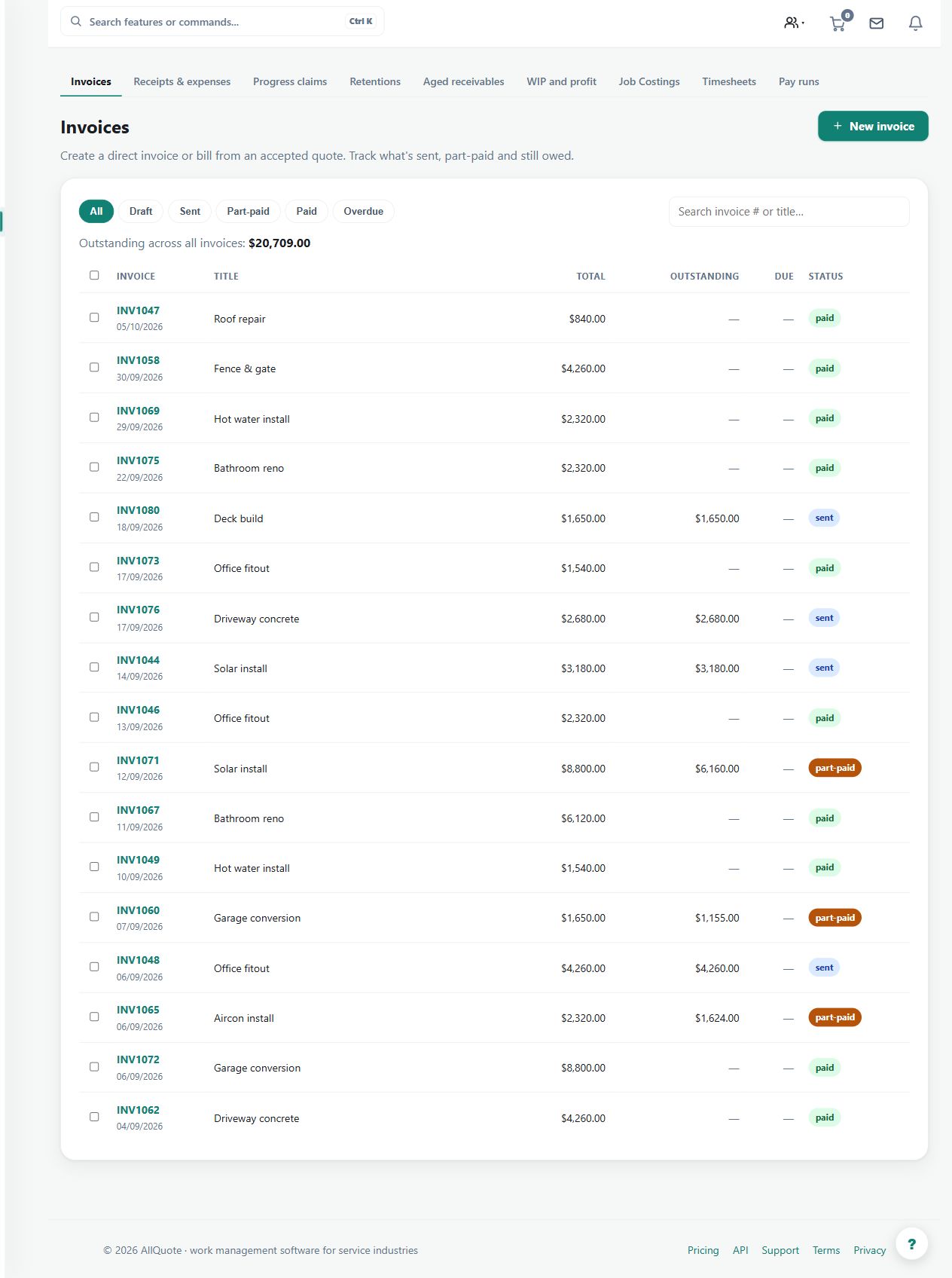
Shows draft, outstanding, paid, deposit, stage, and final invoices, including payment status and customer payment links.
Use the invoice register to track customer billing and settlement across deposits, stages and final invoices.
Before you start
Availability: Free plan and above. Enabled business features, role permissions, connected providers and supported devices may add requirements.
Documented roles: Owner, Office. A role name alone does not override the permissions set by your business.
Where to find it: Invoices > Payment collection.
Confirm the customer, linked job, invoice type and payment terms. If using an external payment or accounting provider, check the connection before sending.
Step by step
- Open Invoices from the sidebar or go to /invoices.
- Filter or open the invoice you need, then check whether it is draft, sent, outstanding, paid, deposit, stage, or final.
- Use the invoice actions to send, record payment, or use the connected payment/accounting provider where configured.
- Return to the linked job's Money tab to confirm the job balance and payment status now match.
Worked example
Open an outstanding stage invoice, review its amount and customer link, then send it or record a verified payment through the available action. Return to the job's Money tab to inspect the remaining balance.
This is an illustrative scenario. Use your own approved scope, quantities, rates and business rules.
Check the result
Check invoice status, recorded receipts and job balance together. Investigate partial or duplicate payments before marking the work financially complete.
Limits and troubleshooting
A sent invoice is not paid. Provider acceptance, accounting sync and customer settlement are different states; check the actual result before retrying an action.
Follow the screenshot tutorial: Convert quote to job
Check current plans and feature availability · Browse every guide