Supplier bill accounting and job costing
Turns supplier invoice data into supplier bills, committed job costs, and draft accounting bills or credits where the accounting connection supports it.
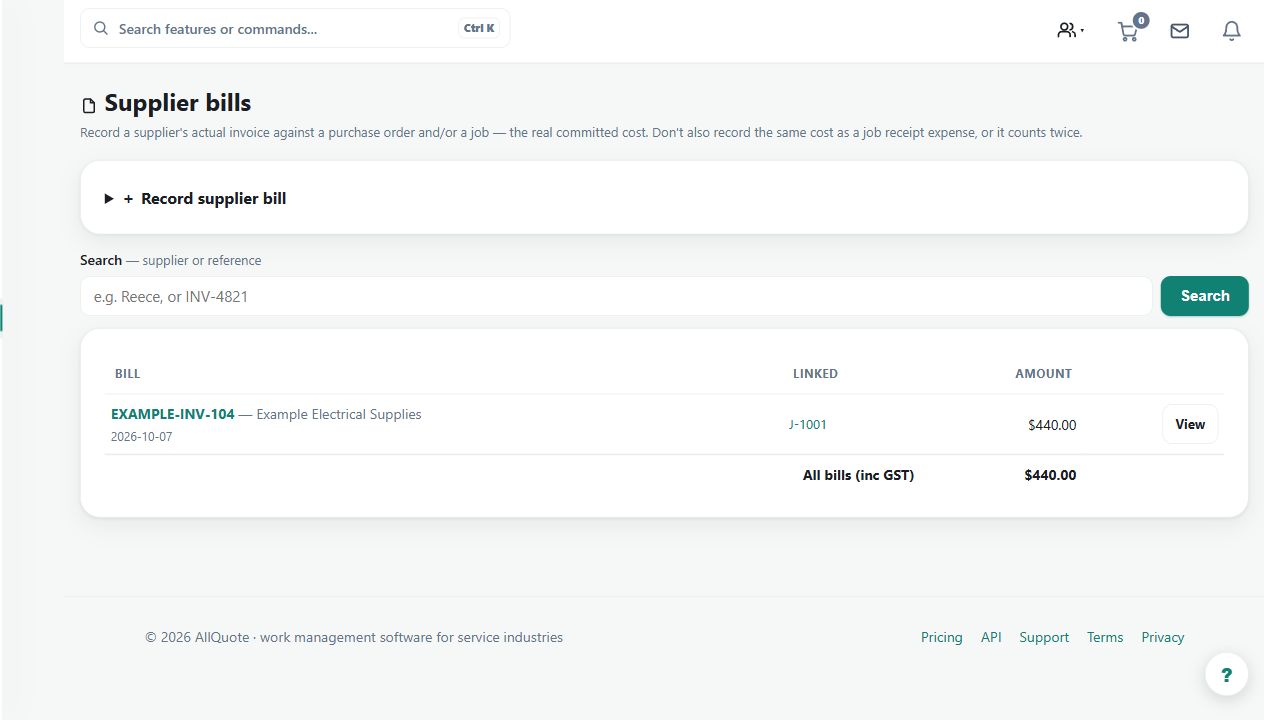
Use supplier bills to connect landed purchasing costs to jobs and, where supported, prepare draft bills or credits for accounting.
Before you start
Availability: Business plan and above. Enabled business features, role permissions, connected providers and supported devices may add requirements.
Documented roles: Owner. A role name alone does not override the permissions set by your business.
Where to find it: Money > Supplier bills > Accounting sync.
Check purchase-order/job matching, the active accounting connection and whether job-costing bills and accounting sync are intentionally enabled.
Step by step
- Open Reece or Supplier bills.
- Enable job-costing bills when supplier invoices should attach landed costs to matching purchase orders and jobs.
- Enable accounting sync only when AllQuote should push those bills or credits to the active accounting connection.
- Review job profitability and accounting sync results after the supplier bills are recorded.
Worked example
Review a supplier invoice linked to a job purchase order, inspect the recorded landed cost and check the accounting draft or sync result.
This is an illustrative scenario. Use your own approved scope, quantities, rates and business rules.
Check the result
Reconcile supplier totals, tax treatment, job allocation and any credit with the source invoice. Inspect profitability only after the relevant costs are recorded.
Limits and troubleshooting
A retrieved invoice is not automatically a correctly allocated cost or accepted accounting entry. Provider support and sync settings matter, and failures should be investigated before retrying.
Check current plans and feature availability · Browse every guide