Manual quote building
Builds a customer quote from the business's own labour, materials, assemblies, scope, discounts, deposits, and terms.
Use manual estimating when the business needs to control the scope, quantities, labour allowance and sell price before committing to a customer.
Before you start
Availability: Plan and role requirements vary. Enabled business features, role permissions, connected providers and supported devices may add requirements.
Where to find it: Quotes > New quote > Build manually.
Prepare the customer, site, inclusions, exclusions, current material costs and labour rates. Decide which work should be a reusable assembly and which is a job-specific allowance.
Step by step
- Open New quote from the app or go to /quote/new.
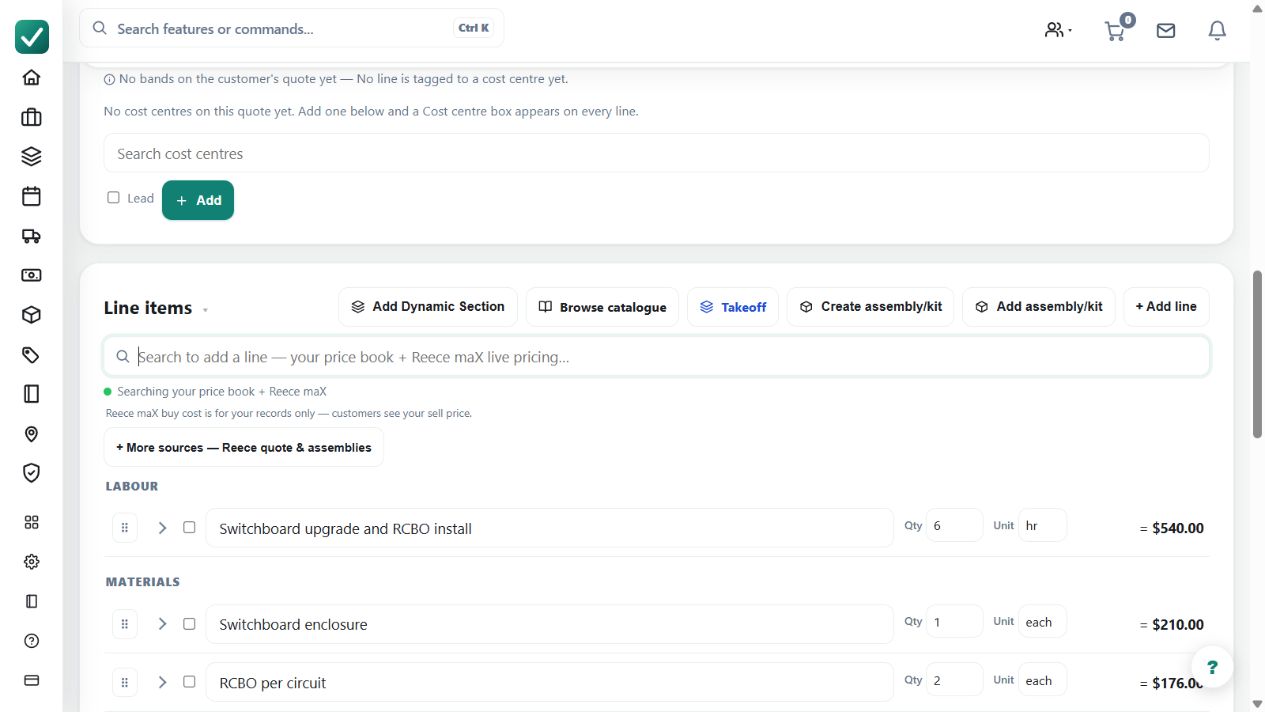
- Choose the manual quote path, add or select the customer, then enter the job name, site details, and scope.
- Add labour, price book materials, assemblies, discounts, deposit settings, terms, and any customer options.
- Review quantities, sell prices, tax, margin, wording, and the customer document before finalising or sending.
Worked example
For a commercial tenancy repair, price the demolition, replacement materials and installation labour separately. Add the agreed exclusions and access conditions, then review the customer document before finalising.
This is an illustrative scenario. Use your own approved scope, quantities, rates and business rules.
Check the result
Compare each quantity and rate with its source. Check markup, tax, deposit, expiry and payment terms. A saved draft is not an issued offer; sending remains a deliberate customer action.
Limits and troubleshooting
Entering a material name does not establish its current supplier price. Review imported or reused costs, and do not assume a previous job's scope or margin applies to this one.
Follow the screenshot tutorial: Create a quote
Check current plans and feature availability · Browse every guide