Insert takeoff work into a quote
Turns reviewed takeoff ledger rows into quote lines without retyping the measured quantities.
Use the transfer to turn reviewed measurements into priced scope without retyping each approved quantity into a quote.
Before you start
Availability: Business plan and above. Enabled business features, role permissions, connected providers and supported devices may add requirements.
Documented roles: Owner, Office. A role name alone does not override the permissions set by your business.
Where to find it: Takeoffs > Insert to quote.
Check scale, units, measurement names and the intended material or assembly. Review all unpriced items before deciding what belongs in the customer quote.
Step by step
- Finish the measurements and map each ledger row to the right price book item or assembly.
- For a takeoff opened from a quote, use Edit > Insert to quote and review the rows that are ready to add.
- For a standalone takeoff, use Create quote after the ledger descriptions, units, quantities and mappings are ready.
- Check the inserted quote lines for cost, sell price, margin, tax and customer wording before finalising.
- Right-click a ledger row for available actions such as Zoom to placements, Rename or Change material / linked item. On touch, long-press the row.
Worked example
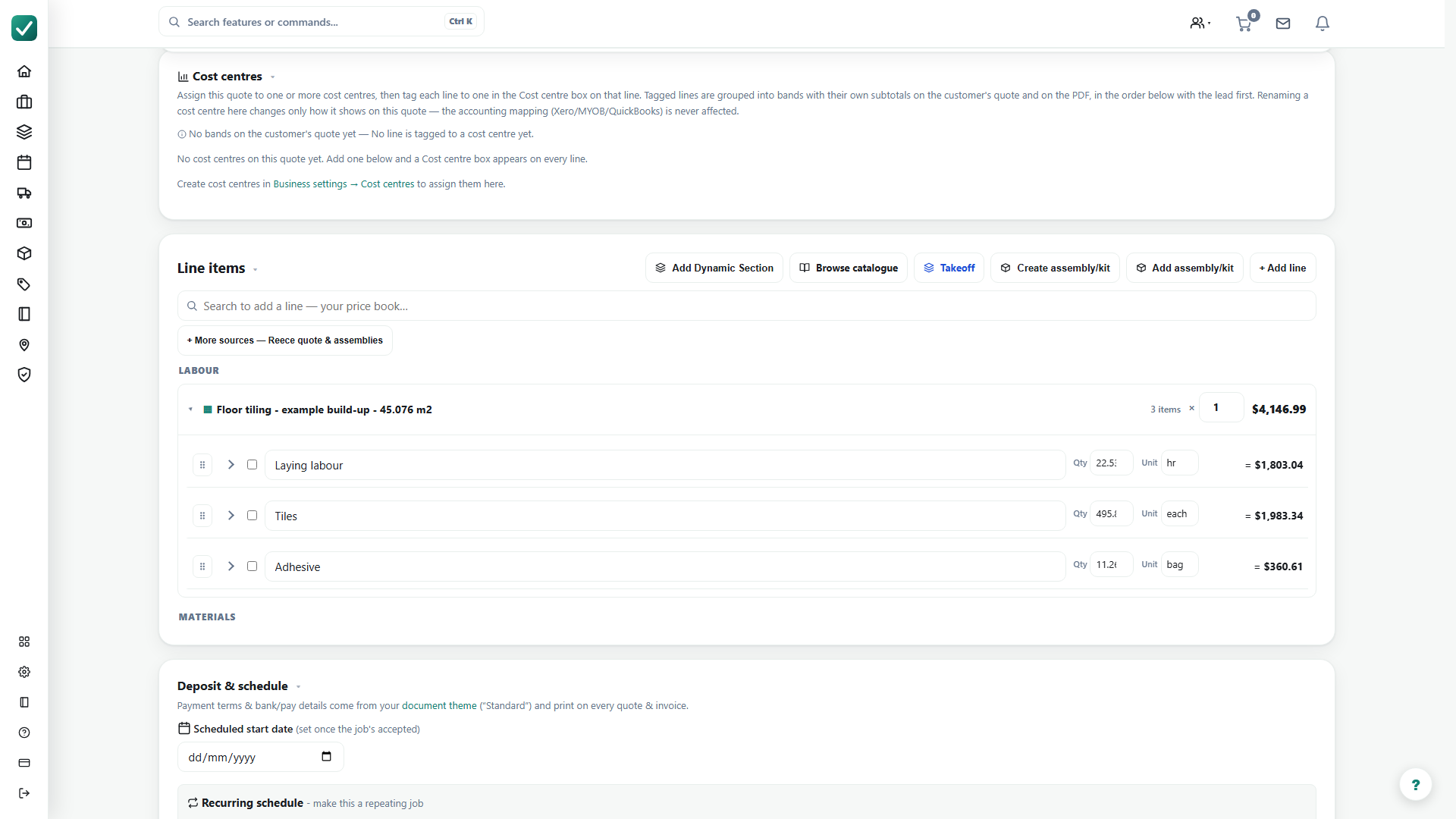
The floor-finish example links a tiling assembly containing tiles, adhesive and labour. After saving the takeoff, create the quote and expand the assembly rows to inspect the component quantities and prices.
This is an illustrative scenario. Use your own approved scope, quantities, rates and business rules.
Check the result
Compare the inserted quantities with the takeoff ledger. Check component units, rates, allowances, tax and customer-facing descriptions before finalising the estimate.
Limits and troubleshooting
A measured garage or courtyard with no price is not automatically a priced line. Linking an assembly does not validate its commercial assumptions; current supplier costs and labour allowances still need review.
Open the complete takeoff walkthrough with volume, formula, assembly and overlay examples
Check current plans and feature availability · Browse every guide