Manual stock edit
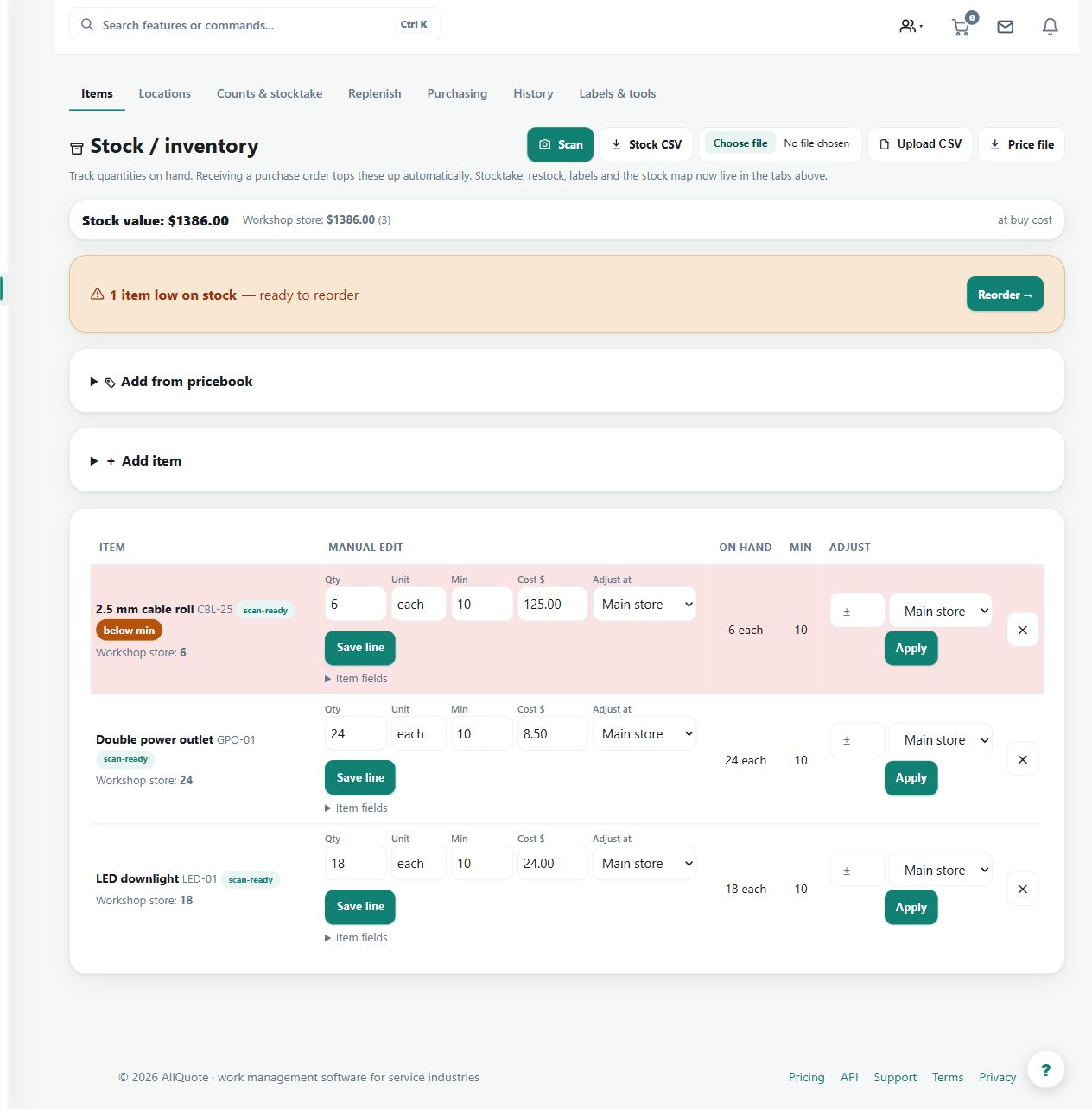
Lets you add or adjust stock names, SKUs, barcodes, quantities, costs, reorder levels, and preferred vendors by hand.
Use manual stock maintenance for new items, corrected identifiers or deliberate quantity adjustments that need review.
Before you start
Availability: Team plan and above. Enabled business features, role permissions, connected providers and supported devices may add requirements.
Documented roles: Owner, Office, Team. A role name alone does not override the permissions set by your business.
Where to find it: Stock > Manual item edit.
Have the SKU, barcode, preferred supplier, unit cost and physical quantity available. Distinguish editing a row's details from changing its stock balance.
Step by step
- Open Stock from the sidebar or go to /stock.
- Use + Add item to enter SKU, Name, Barcode, Preferred supplier, Qty on hand, Reorder at, Reorder qty, Unit cost $, and Opening stock location, then press Add.
- For existing rows, edit the line fields and press Save line.
- To change quantity, use the row's Adjust column: enter a +/- delta, pick a location if shown, and press Apply.
- If the adjustment would breach reserved stock, review the warning and only press Force <delta> anyway when the business intentionally overrides it.
Worked example
After finding two damaged fittings, enter a negative adjustment for the correct location and review the resulting balance. Save descriptive changes through Save line.
This is an illustrative scenario. Use your own approved scope, quantities, rates and business rules.
Check the result
Compare the applied quantity delta and remaining on-hand amount with the physical stock and location. Check reserved stock before overriding a warning.
Limits and troubleshooting
A +/- adjustment is a change, not a replacement total. Force an adjustment against reservations only when the business intentionally accepts the consequence; it should not be used to dismiss an unexplained discrepancy.
Check current plans and feature availability · Browse every guide